

It’s the time of year when many of us re-enter the classroom setting, whether as teachers or as pupils. After the joys of letting your brain go free range over the summer break, it’s time to focus on details and reinforce good habits. This applies to your writing output as well: You might be in a rush to produce that first assignment, fill in the questionnaire, or distribute a syllabus to your students, but it is worth your time to carefully look over your submissions to make sure they are free of errors. This sets the tone for all of your writing to come and establishes good practices. In the era of pen and paper, writing was a slower, more thoughtful endeavour. Now, with voice-to-text, AI, and autofill, we can be tempted to produce text as an immediate demand, rather than a process of rumination and consideration.
This is why a draft, and a subsequent copy edit, are crucial to every piece of writing you produce, including emails. Check out this plaque I spotted the other day as I dropped my son off at university.
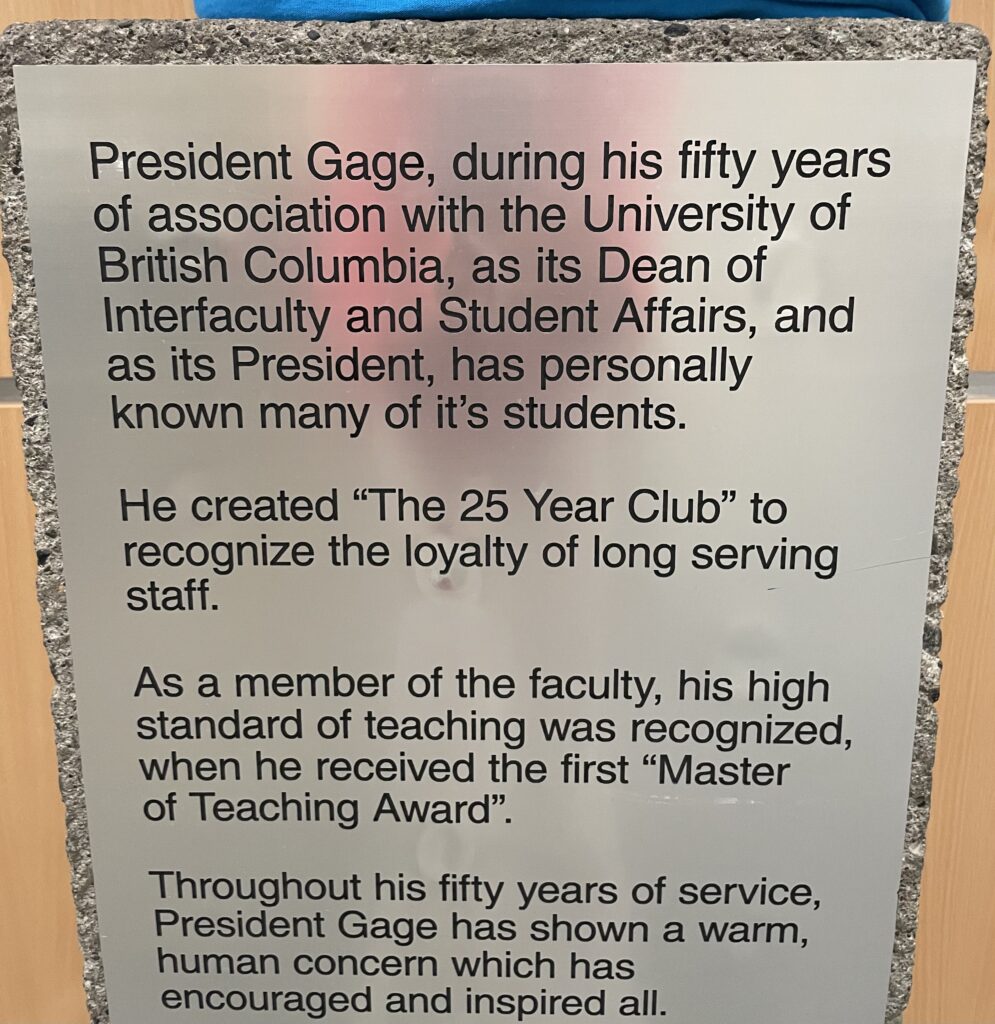
The sentiments expressed are lovely, but I spotted at least four errors that have been memorialized. Can you spot them? If not, please go back and review my apostrophe tips and my compound adjective tips, and take a closer look at the punctuation in this photo. There is an unnecessary comma, and the period placement is incorrect with the quotation mark.
An experienced copy editor can spot all of these errors immediately. You can train yourself to effectively review your own writing by paying attention to the following top ten issues:
- Incorrect use of the contraction it’s. It’s a shame UBC put up this plaque without checking its grammar.
- Too much capitalization.
- Homonyms: When you rely on spellcheck and AI, you are especially vulnerable. There/their, where/wear, scene/seen, etc.
- Correct spelling of names and places. Please double-check the spelling of a person’s name through a reputable source, not the first thing that pops up on Google.
- Punctuation use and placement. You need far fewer commas than you think. Punctuation goes inside quotation marks in North American use, except for legal documents. Colons and semi-colons are not the same. Check out this useful punctuation guide.
- Make your sentences short and to the point. You don’t need extra adjectives.
- Use active voice instead of passive voice. Check out my blog on this.
- Verb tenses: This is especially problematic if you have been cutting and pasting information into your essay, or you have multiple authors. Read over your whole submission slowly, focusing only on verb agreement.
- Repetition: Try not to. See my blog post.
- Compound adjectives and hyphenation. Print out the guide in the Chicago Manual of Style, and read my blog post.
And when it really counts, turn to a professional for that last push to guarantee writing excellence.
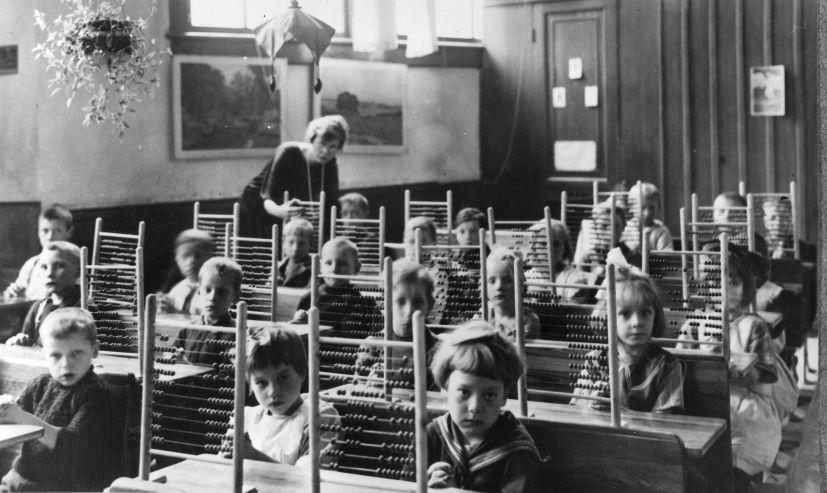
I love this photo of Dutch students focusing on their writing. We have the studious scribe, the distracting neighbour, and the daydreamer in the back.

And the enthusiasm captured here for the abacus: front-row girls are not that impressed, second-row girl is dialled in, and boy on the left is just confused.

Leave a Reply